


Intermittent issue with Legistar
postedFrom IT Staff:
"Granicus, our Legistar vendor, is reporting an intermittent issue with accessing documents on Legistar's website portal. This is affecting all Granicus customers. Their status page reports:
“… intermittent issue impacting InSite where some users may receive a 'This document has been removed' error when attempting to access agendas, agenda packets, attachments, and supporting documents."
They offer this workaround while they address this issue:
- Affected users can restore access by clearing their browser cache and fully restarting their browser.
- If the issue recurs, repeating this step should allow temporary access.
- Use Firefox as an alternative browser, which has not been impacted by this issue.
They have not offered an estimate of when this will be corrected.
This is the August 4, 2026 Common Council agenda(opens in a new window)PDF if you are unable to access it via Legistar. "
To Clear your Google Chrome Cache
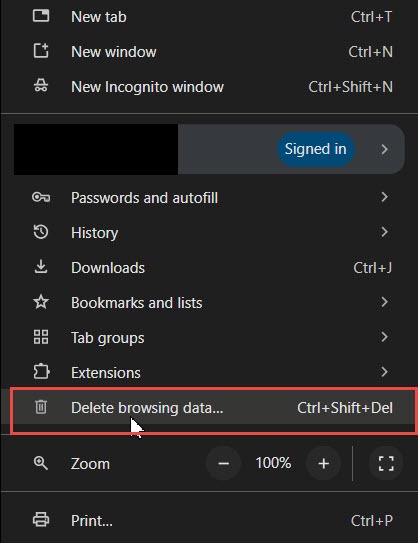
- Open Chrome.
- Click the three dots (⋮) in the upper-right corner.
- Select Delete browsing data.
- Choose a Time range
- Check Cached images and files.
- You can leave passwords and browsing history unchecked.
- Click Delete data.
- Close and reopen Chrome, then try accessing the site again.

Alder Yannette Figueroa Cole
District 10
Contact Alder Figueroa Cole